
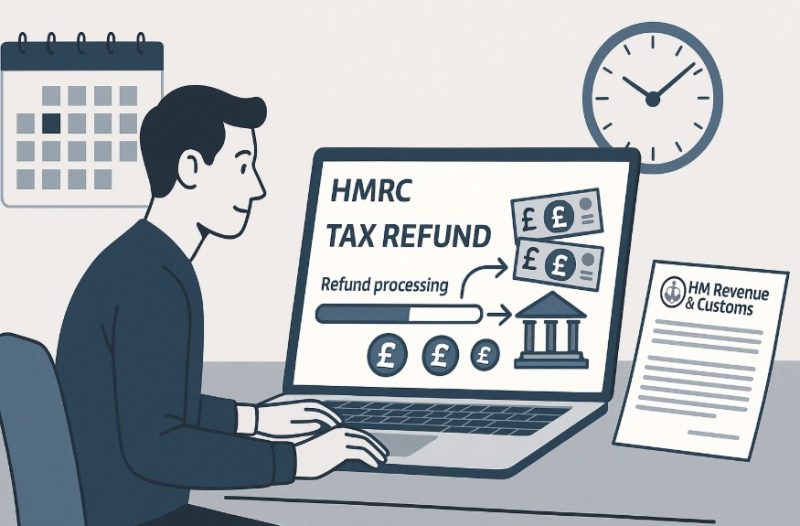
When you’re expecting money back from HMRC, knowing exactly when it will arrive can make a big difference to your financial planning.
While tax refunds often seem straightforward, various factors can impact the time it takes for the refund to reach your bank account. From how you submit your return to the refund method you choose, there are multiple details to consider.
This guide walks you through all aspects of HMRC tax refund timelines, giving you a clear picture of what to expect, how to check your refund status, and what actions to take if delays occur.
Why Might Your HMRC Tax Refund Take Longer Than Expected?

HMRC tax refunds can take longer than expected due to several common reasons. One of the main factors is incomplete or inaccurate tax return information. Missing forms or errors in your details can trigger manual reviews, delaying the refund process.
Similarly, filing close to deadlines often results in backlogs, increasing the waiting time. HMRC may also conduct routine security checks, especially if your tax return includes large refunds, unusual deductions, or unfamiliar bank account details.
Additionally, refunds processed via cheque rather than direct bank transfers tend to take longer. Seasonal delays around the Self Assessment deadline in January or end of the tax year in April are also frequent culprits.
In rare cases, system errors or updates to HMRC’s digital services can slow things down. Ensuring your return is accurate, submitted early, and your payment method is up to date can help avoid such delays and ensure a smoother refund experience.
How Long Does It Take for HMRC Tax Refund to Go into Bank?
If you’ve submitted your tax return and are due a refund, HMRC typically issues it within 5 working days when you request an online bank transfer. However, this timeline can extend depending on how the return was filed.
For example, online submissions are processed faster, generally within 1–2 weeks. compared to paper returns, which may take up to 6 weeks or longer, especially during busy periods.
If you’ve requested a refund by cheque, the wait can extend to around 2–6 weeks. It’s also important to note that different systems, such as PAYE and Self Assessment, have their own timelines.
PAYE-based refunds often arrive faster due to automated calculations, whereas Self Assessment returns may undergo additional checks.
In cases where HMRC requires further verification, even online claims may be held up. To get your refund as quickly as possible, ensure your return is error-free, choose direct bank transfer, and submit early.
How Do You Check the Status of Your HMRC Tax Refund?

Check via Personal Tax Account
The fastest way to track your refund is through your Personal Tax Account (PTA). Log in to your account on the HMRC website or use the official HMRC app. Here, you’ll find details about the processing status and whether the refund has been approved or paid.
Track Using HMRC Notifications
Once HMRC processes your tax return, they usually notify you if a refund is due. If it’s available for online claim, you can select the bank transfer option directly from your PTA and expect the refund within 5 working days.
When to Call HMRC?
If you don’t see any update or it’s been longer than the expected processing time, you can contact HMRC directly. Use their helpline for tax queries or reach out through the app. Be prepared to verify your identity and provide details about your return.
Common Status Messages
- “Pending”: Your return is still being reviewed.
- “Issued”: The refund has been released; check your bank account within 5–10 working days.
- “Cheque Sent”: Refunds by post can take up to 6 weeks.
What Are the Differences Between PAYE and Self-Assessment Refund Times?
PAYE and Self Assessment are two distinct systems and the refund time varies accordingly. PAYE refunds often arise from overpaid tax on wages or pensions and are usually processed automatically.
If your PAYE refund is linked to a P800 calculation, you might receive a letter prompting you to claim online, which typically results in a faster refund, around 5 days for online bank transfers or 2 weeks for cheques.
Self Assessment refunds, however, depend on the completion and processing of your tax return. If you submit your return online, refunds can take 1–2 weeks after processing. Paper submissions may take up to 6 weeks or more, especially during peak seasons or if your return is flagged for checks.
Comparison Table:
| Refund Type | Filing Method | Approximate Processing Time | Payment Method |
| PAYE Refund (P800) | Online Claim | 5 working days | Bank Transfer |
| PAYE Refund (Cheque) | Auto-issued | 2–3 weeks | Cheque |
| Self Assessment Return | Online | 1–2 weeks | Bank Transfer |
| Self Assessment Return | Paper | 4–6 weeks or more | Cheque/Bank Transfer |
Is There a Delay in HMRC Tax Refund Payments in 2025?

In 2025, HMRC refund processing has experienced some delays, especially for paper submissions and complex returns. Increased demand during the Self Assessment season and recent security enhancements have caused slower turnaround times in certain cases.
HMRC’s systems also undergo maintenance at regular intervals, occasionally contributing to minor service interruptions. Users on HMRC forums have reported extended wait times for both PAYE and Self Assessment refunds, particularly when additional verification is triggered.
That said, online submissions using HMRC’s updated bank transfer service remain the quickest and most reliable method to receive repayments. To avoid unnecessary delay, it’s recommended to file returns early and opt for direct bank transfer instead of cheques.
Also, keeping all tax-related documentation in order and accurate can help reduce processing hiccups. Regularly checking your Personal Tax Account can keep you updated on the status of your claim.
How Does HMRC Send Tax Refunds – Bank Transfer or Cheque?
HMRC offers two main methods for sending tax refunds, bank transfer and cheque. Bank transfer is the quicker option, and refunds can typically reach your account within five working days if claimed online.
You must ensure that your bank account details in your HMRC Personal Tax Account are up to date and accurate before initiating the refund. If the online option is not available, or if you specifically request a cheque, the refund will be sent by post.
Cheques generally take longer to arrive, often within two to six weeks. Note that refunds for certain claims, such as employment expenses submitted outside of Self Assessment, may only be issued via cheque, even if submitted online.
It’s also important to know that HMRC does not make payments to overseas bank accounts. Double-checking your preferred payment method during the refund claim process can save time and prevent avoidable delays in receiving your money.
Can You Speed Up the HMRC Tax Refund Process?

Yes, you can take steps to help speed up your HMRC tax refund. While the final processing is handled by HMRC, being accurate and proactive makes a big difference.
Submitting your return online, avoiding errors, and responding quickly to any HMRC queries can all help reduce delays. The earlier and more efficiently you submit your information, the less likely your refund will be held up due to mistakes or heavy processing periods.
Tips to Speed Up Your Tax Refund
- File your tax return online: Faster than paper-based submissions.
- Double-check your return details: Ensure income, expenses, and bank info are correct.
- Submit early: Avoid peak filing periods like January.
- Use your HMRC Personal Tax Account: Enables faster communication and updates.
- Respond quickly to HMRC queries: Keeps your claim progressing smoothly.
- Avoid common errors: Mistakes in UTR or income details can cause delays.
By following these tips, you reduce the risk of your refund being flagged for checks or corrections, ensuring a smoother and faster process.
What Should You Do If Your HMRC Tax Refund Is Delayed?
Waiting for a tax refund from HMRC can be stressful, especially if it’s taking longer than expected. Fortunately, there are several steps you can take to help resolve the issue and speed up the process.
Steps to Take if Your Tax Refund Is Delayed
- Check Your HMRC Account: Log into your Personal Tax Account to see if there are any updates or notifications about your refund.
- Verify Your Bank Details: Make sure the bank account details you provided are correct to avoid any failed payment attempts.
- Review Your Tax Return: Carefully look over your submitted return to catch any errors or missing information that could cause delays.
- Contact HMRC Directly: If it’s been over three weeks since you submitted your claim online, get in touch with HMRC via phone or webchat.
- Submit Required Documents: If HMRC has asked for additional information, send it in as soon as possible to prevent further delays.
- Keep a Record of All Correspondence: Save any letters, emails, or messages from HMRC for future reference or follow-up.
Delays are frustrating, but most can be resolved with prompt action and direct communication with HMRC.
Conclusion
Waiting for a tax refund can feel uncertain, but understanding HMRC’s processing times and what affects them helps you plan better. Most refunds reach your account within 5 to 10 working days if claimed online, while paper and cheque-based refunds take longer.
Submitting your tax return accurately, choosing the bank transfer option, and monitoring your Personal Tax Account can significantly reduce wait times.
If delays occur, quick responses and clear communication with HMRC often resolve issues effectively. Always double-check your details before submitting and try to file early to avoid the busiest periods.
With the right approach, you can ensure your HMRC tax refund arrives as quickly and smoothly as possible.
FAQs About HMRC Tax Refund Timeline
How long does a self-assessment refund usually take after submitting?
Self-assessment refunds typically take 1 to 2 weeks if submitted online. Paper returns may take 4 to 6 weeks or longer.
What is the quickest way to get your HMRC refund?
Filing your return online and requesting a bank transfer is the fastest way to receive your HMRC refund.
Are tax refund times different for online vs paper submissions?
Yes, online submissions are processed faster, while paper submissions often face delays of several weeks.
Can HMRC hold your refund for verification?
Yes, HMRC may hold refunds temporarily to conduct security checks if unusual activity is detected.
How do you update your bank details with HMRC for a refund?
You can update your bank details by logging into your Personal Tax Account and editing your refund preferences.
Does claiming tax relief affect refund time?
Yes, claims involving tax relief may require additional checks, which can extend processing time.
Is there a cut-off time during the year when refunds are slower?
Yes, January and April are peak periods when refund processing tends to slow down significantly.