

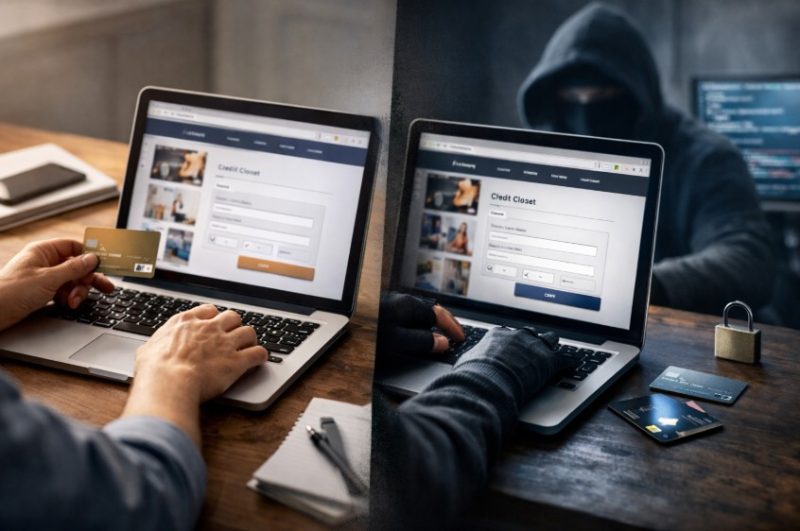
You know the moment. You Google a brand, click the top result, the site loads fast, the logo looks right, and the checkout feels familiar. Five minutes later, you’ve paid… and something’s off.
That “something” is often a clone site, a lookalike website designed to impersonate a real business closely enough to capture logins, card details, or small “verification” payments.
This matters even more when you’re buying anything you don’t purchase every day, tickets, subscriptions, or paid online entertainment. If you are browsing online bingo, the safer move is to start with a comparison hub you chose on purpose (rather than a random ad link).
For example, you can browse new bingo sites in the UK via Best New Bingo Sites and then navigate to a site from there – instead of trusting whatever pops up first.
Why Is the Clone Site Threat SMEs Can’t Ignore Putting Customer Trust at Risk?
What Exactly is a “Clone Site” (and Why Are They Everywhere)?

A clone site isn’t a random dodgy page with broken English. The best ones are near-perfect copies of real ecommerce stores, booking platforms, banks, delivery portals, and increasingly, any service where people are used to paying online.
They’re spreading because the distribution channels are built for speed:
- Search ads that sit above the real result
- Social ads that look like official promos
- SMS/WhatsApp messages that create urgency
- Spoofed “support” numbers that funnel victims into a fake call centre loop
The goal is simple: get you to act before you think.
How the Trap Works (in the wild)?
Most clone-site scams follow a familiar pattern:
1) The “Top Result” Trick
You search for a brand. The first thing you see is an ad that looks like the brand. The URL is close enough. You click.
2) The Micro-difference URL
The page is a copy of the real site, but the domain might be:
- an extra word (e.g., “secure”, “verify”, “support”)
- a swapped character (l/I, rn/m, 0/O)
- a hyphen added
- a different ending (.net instead of .co.uk)
3) The Fast Checkout or “Account Problem” Prompt
Clone sites push one of two paths:
- Checkout capture: card details, address, login
- Account capture: “your account is locked, sign in to unlock”
4) The Damage Control Spiral
Victims often try to fix it quickly… by calling the number on the page or replying to the message that led them there. That’s the point: the scam continues after the click.
The 60-second “Is this site real?” Checklist (for Humans, not IT Teams)
If you only do one thing, do this: slow down for 60 seconds before you log in or pay.
Step 1: Read the URL Like It’s a Bank Transfer Reference
Don’t just glance. Read it character-by-character. If it’s slightly off, leave.
Step 2: Don’t Trust the Padlock Alone
HTTPS is a basic standard now, scammers use it too. The padlock only means the connection is encrypted, not that the site is genuine.
Step 3: Get to the Site Your Own Way
Instead of clicking an ad or message link:
- type the address manually
- use a saved bookmark
- use the brand’s official app (if relevant)
Step 4: Cross-check Via an Independent “Known Good” Source
This is where comparison and directory hubs quietly do a lot of good. If you’re choosing paid online entertainment, for example, it’s smarter to start from an established comparison hub and browse options from there rather than clicking random ads, you can compare UK bingo sites in one place and then navigate onwards from a source you deliberately chose.
Step 5: Treat Payment Method Requests as a Lie Detector
Huge red flags include:
- bank transfer only
- gift cards or crypto demanded
- weird “verification fees”
- a checkout that suddenly reroutes to a different-looking payment page
Step 6: If You’re Unsure, Report the Link (Don’t “Test It”)
The UK’s National Cyber Security Centre has clear guidance on spotting and reporting phishing and scam websites. Use their reporting routes rather than clicking further: NCSC phishing guidance and report a suspicious website to NCSC.
For SMEs: How to Reduce Clone-site Damage (and Customer Panic)

Clone sites aren’t just a consumer problem, they create brand fallout. Here’s what helps most, without needing a security department.
1) Make Verification Effortless
Put the “trust basics” where customers can find them quickly:
- a clear official domain (and any regional domains)
- consistent branding across social profiles
- a dedicated “How to spot scam messages” page
- customer support contact routes that don’t rely on a single channel
The goal is to remove uncertainty. Confused customers are more likely to click twice.
2) Pre-bunk Your Audience (Before Scammers Do)
A short pinned post or banner can cut support noise dramatically:
- “We will never ask you to pay a fee to unlock your account.”
- “Our only domain is: ____”
- “If in doubt, do not click, go to our site directly.”
3) Own Your “Search Real Estate”
If you can, run a small branded search campaign so you occupy the top slot for your name, and make sure the ad copy clearly matches your official domain. Scammers love gaps.
4) Monitor Lookalike Domains and Impersonation Attempts
Even low-effort monitoring helps:
- Google Alerts for your brand name + “support” / “payment” / “verify”
- occasional searches for your own brand + “login” / “refund”
- keep an eye on social comments (“is this link real?” is an early warning)
5) Have a One-page Incident Playbook
When a clone site pops up, speed matters. A simple checklist:
- capture screenshots and the full URL
- warn customers via your main channels
- report via official routes (see below)
- brief your support team with a standard response script
“What if Someone on My Team Already Clicked?”
This is where SMEs can avoid turning one click into a week-long mess. If a staff member entered credentials or payment details on a suspected clone site:
- Change the password immediately (especially if reused anywhere else)
- Enable two-factor authentication on key accounts
- Contact the bank/card provider if payment details were submitted
- Report the message/site via NCSC routes and Action Fraud (links above)
The key is to treat it like a process issue, not a personal failure. Clone sites work because they exploit speed, not intelligence.
The “Offer Sanity Check” (Where Clone Sites Get Extra Sneaky)

Clone sites don’t just copy branding, they copy promotions. That’s why deals can be a weak spot: when people see an offer that looks time-limited, they click first and verify later.
A safer pattern is:
- decide the category you’re interested in (e.g., subscriptions, tickets, entertainment)
- start from a trusted hub or official directory
- compare offers there first
If bingo is part of your entertainment mix, and you’re specifically looking for low-commitment options, it’s better to browse a legitimate offer page than chase random promos, here’s a guide to online bingo bonuses that focuses on low deposit options (rather than mystery “VIP” links in ads).
Key Takeaway: Clone Sites Win on Speed – You Win on Process
Clone sites don’t succeed because people are careless. They succeed because the internet trains us to move quickly when something looks familiar.
A few small habits protect both consumers and SMEs:
- Verify the domain before you log in or pay
- Navigate intentionally (bookmark, type it, use trusted hubs)
- Watch payment method red flags
- Report suspicious links instead of “testing” them
- For businesses: make verification easy, pre-bunk scams, and keep a one-page response plan
In 2026, trust isn’t just a brand value, it’s an operational advantage.


